Is OM2 Obsolete?

Is OM2 obsolete? The short answer is no — but its role is shrinking. OM2 multimode fiber still supports cost-effective 1 Gbps and short-reach 10 Gbps deployments, yet OM3 and OM4 now dominate new data center and high-speed Ethernet builds. This guide explains where OM2 still earns its place, why it is being phased out of modern networks, and how it interoperates with the OM1 fiber you may already have in the plant.
Why OM2 is Still Relevant
- Cost-Effectiveness: OM2 is more affordable than newer cables like OM3 or OM4, making it a good option for smaller-scale applications that don't require ultra-high bandwidth or long-distance transmission. For businesses with budget constraints, OM2 remains a viable choice for 10 Gbps Ethernet or 1 Gbps networks in medium-sized buildings, small enterprises, or legacy systems that don't demand cutting-edge performance.
- Adequate for Many Applications: 10 Gbps Ethernet over short to medium distances (up to 82 meters) is still a widely used application, and OM2 can handle it well. Many local area networks (LANs), small offices, or academic institutions continue to rely on OM2 because it offers a balance of performance and cost-effectiveness. 1 Gbps networks can also benefit from OM2's extended distance capabilities — up to 550 meters — which makes it suitable for longer-distance connections in a large office building or similar environments.
- Backward Compatibility: OM2 is backward compatible with older fiber types like OM1, so it can still be used in existing infrastructures where some segments need upgrading but full system replacement is not necessary.
Why OM2 May Be Phased Out
While OM2 is not technically obsolete, there are several reasons why its use is declining, particularly in modern or high-speed network environments:
- Higher-Speed Demands: As network speeds increase, OM2 is often replaced by OM3 or OM4 cables to support 25 Gbps, 40 Gbps, and 100 Gbps transmissions. These higher-speed applications require cables with better bandwidth and performance over longer distances, which OM2 cannot provide. OM3 and OM4 cables, with their higher bandwidth (OM3: 2000 MHz·km, OM4: 4700 MHz·km), offer greater future-proofing and are better suited for modern data center environments, where large amounts of data are transferred at high speeds across long distances.
- Distance Limitations at High Speeds: At speeds like 10 Gbps, OM2 can only support distances up to 82 meters. In contrast, OM3 can support 10 Gbps up to 300 meters, and OM4 can support 10 Gbps up to 400 meters. As networks continue to scale and demand faster speeds, these higher-performing fiber cables are more likely to be adopted for new installations. Longer-distance connections required for high-speed networks are often the reason for switching to OM3 or OM4 in new builds or infrastructure upgrades.
- Technological Advancements: As the demand for higher-density, higher-speed networks increases, OM2's limitations become more apparent. Technologies like 40GBASE-SR4 or 100GBASE-SR10, which require cables capable of supporting higher data rates over longer distances, make OM2 less ideal.
- Adoption of OM3 and OM4: Many new installations are now focusing on OM3 or OM4, especially in environments such as data centers, where high-bandwidth, high-speed applications (e.g., 40 Gbps, 100 Gbps) are increasingly common. OM3 and OM4 cables are designed for future-proofing, ensuring that networks can handle increased speeds and longer distances without needing frequent upgrades. See our deeper breakdown of where OM4 and OM5 fit best for modern high-speed links.
Is OM2 Completely Obsolete?
No, OM2 is not completely obsolete — it still plays a role in existing, lower-speed networks that don't require the bandwidth or distance capabilities of newer fiber cables like OM3 or OM4. It's also a viable option for specific applications that don't require the very latest technology, and some businesses still use it for cost-effective, short to medium-range network deployments.
However, for organizations or industries planning to build new networks or upgrade existing infrastructure, OM2 may not be the best long-term choice. If you're building or upgrading for higher speeds (10 Gbps and beyond) or longer distances, it's advisable to choose OM3 or OM4 to ensure that your infrastructure is ready for the future.
Can OM1 and OM2 Work Together?
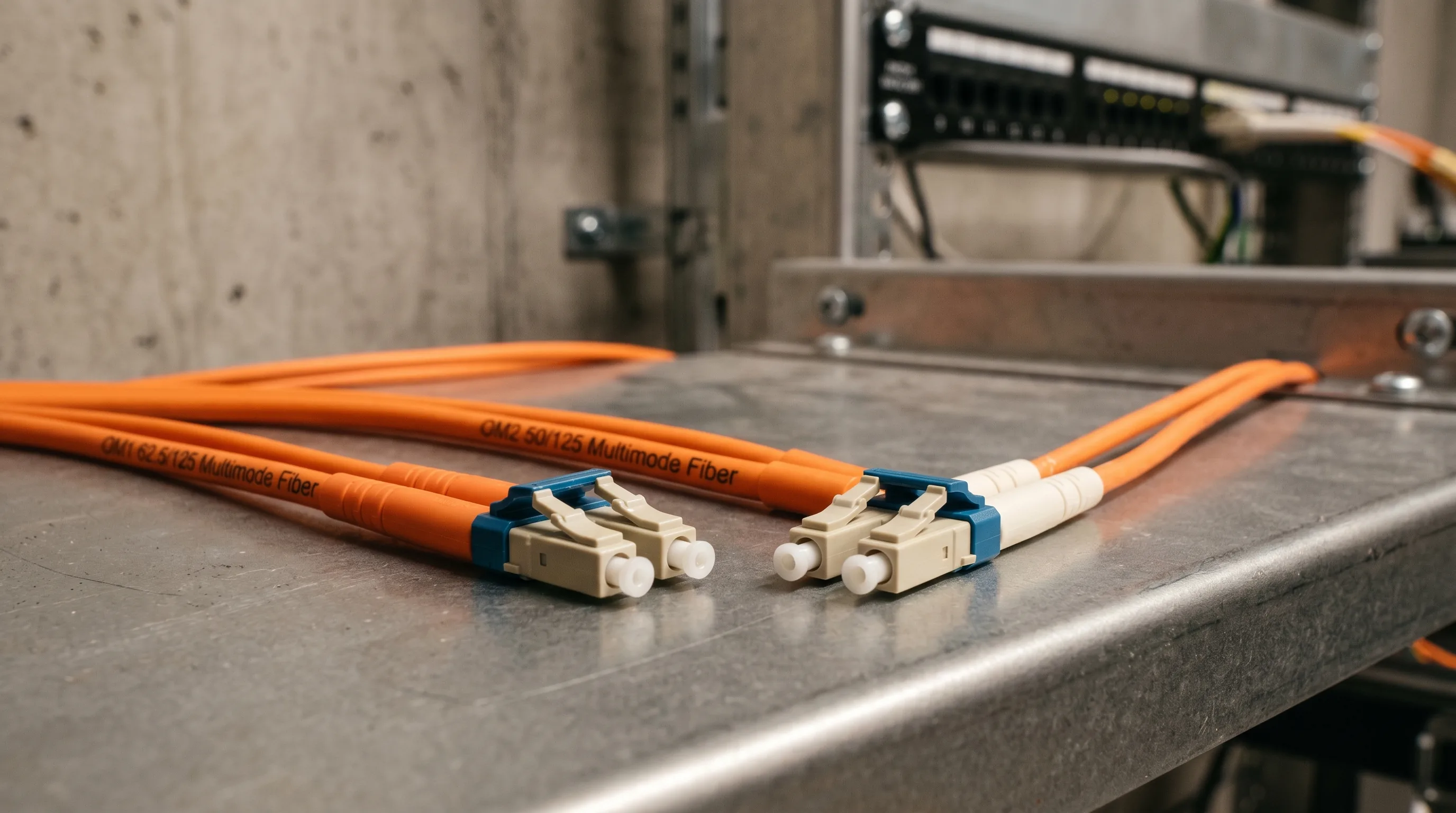
Yes, OM1 and OM2 fiber optic cables can work together in the same network, but there are some important considerations to keep in mind.
Compatibility of OM1 and OM2
Both OM1 and OM2 cables are multimode fibers, meaning they transmit light signals over multiple paths or modes through their core. As a result, they are compatible at the physical layer of the network, meaning they can be connected together using the appropriate connectors (LC, SC, MTP, etc.) and equipment (like switches or fiber optic transceivers).
However, differences in their performance characteristics may impact how well they work together, especially at higher speeds or longer distances.
Here's a breakdown of the factors to consider when using OM1 and OM2 cables together:
1. Speed and Distance Limitations
- OM1 Cable: With a 62.5-micron core, OM1 supports 200 MHz·km bandwidth and can only handle 10 Gbps transmission speeds up to 33 meters. Beyond this distance, the signal degrades too much to maintain reliable data transmission at that speed.
- OM2 Cable: With a smaller 50-micron core, OM2 has a higher bandwidth of 500 MHz·km and can support 10 Gbps transmission speeds up to 82 meters.
When mixing OM1 and OM2 cables in the same system, the distance limitations will be constrained by the OM1 cable. For example, if an OM1 segment is part of the network, the maximum distance at 10 Gbps will be limited to 33 meters, even if the OM2 segment supports a longer distance of 82 meters. The slower OM1 cable will effectively become the bottleneck in the network.
2. Modal Dispersion
- Modal Dispersion is the phenomenon where light pulses spread out as they travel through the fiber, leading to signal degradation over longer distances.
- OM2, with its smaller core size (50 microns) compared to OM1's 62.5 microns, has less modal dispersion, which results in lower signal loss and better bandwidth over longer distances.
If OM1 and OM2 cables are connected in a network, the signal might experience more dispersion when traveling through OM1 than through OM2. While the signal should still be transmitted correctly, the overall performance may be slightly affected if the network is operating at higher speeds or over longer distances than OM1 can handle.
3. Link Budget and Signal Loss
The link budget refers to the total signal loss between the transmitter and receiver across the network.
- OM1 cables typically suffer higher attenuation (signal loss) due to their larger core size, which leads to more scattering of light.
- OM2 cables, being more efficient at minimizing signal loss, have a lower attenuation rate.
When OM1 and OM2 are mixed, signal loss could be higher in the OM1 section, which may affect overall performance, especially if there is a significant difference in the lengths of OM1 and OM2 fibers.
4. Equipment Considerations
When connecting OM1 and OM2 cables, network equipment like transceivers or switches should be chosen carefully to ensure they support the lowest common performance standard between the cables. For example, if you are using 10 Gbps transceivers, the system will default to the performance of the OM1 cable if that's the limiting factor.
Best Practices When Mixing OM1 and OM2
While OM1 and OM2 can technically work together, here are some best practices to optimize performance:
- Use OM2 for Critical High-Speed Sections: If you need to support 10 Gbps speeds over longer distances, it's best to use OM2 cables for the more critical parts of the network where high bandwidth and longer distance are required.
- Minimize the Length of OM1 Segments: To avoid the limitations of OM1, keep the length of the OM1 cable sections as short as possible, ideally below the maximum distance for 10 Gbps (33 meters). If you need longer distances, consider upgrading to OM2 or higher.
- Upgrade Gradually: If you're upgrading your network and want to use OM1 and OM2 together for a period of time, consider gradually transitioning from OM1 to OM2. For example, you can start by replacing only the segments where higher performance is needed, while leaving OM1 in place for lower-speed applications.
- Monitor Performance: If you have a mixed OM1 and OM2 network, keep an eye on the network performance to ensure that signal degradation or loss isn't negatively impacting your operations. If you notice issues, upgrading the OM1 sections to OM2 may be necessary.
For a side-by-side look at all four grades of multimode fiber, see our guide on the difference between OM1, OM2, OM3, and OM4. To select the right fiber cable for your deployment, browse TTI Fiber's range of indoor fiber optic cables.