Types of Optical Fiber Splitters You Should Know About
If you're diving into the world of fiber optic networking — whether for your home, office, or small business — you've probably come across the term optical fiber splitter. Understanding what it is and how it works is essential for getting the most out of your fiber optic internet. This guide covers what optical fiber splitters are, the main types of optical fiber splitters you should know about, how to pick the right one, and how to install and maintain it properly.
What Is an Optical Splitter Fiber and Why Do You Need One?
At its core, an optical splitter fiber is a device that divides a single fiber optic signal into multiple outputs. Imagine you have a single fiber cable bringing blazing-fast internet to your home or office, but you want to connect multiple devices or rooms. That's where a splitter comes in — it "splits" the optical signal without converting it to electrical signals.
Why Use an Optical Fiber Splitter?
- Share your high-speed fiber connection among multiple devices or rooms.
- Expand your network without running extra fiber cables.
- Cost-effective solution to connect multiple endpoints.
- Essential component for FTTH (Fiber To The Home) and PON (Passive Optical Network) systems.
Without a splitter, you'd need to lay down multiple fiber lines from your internet provider, which is expensive and impractical. A splitter lets you take one fiber line and share it seamlessly.
Types of Optical Fiber Splitters You Should Know About
Not all splitters are created equal. Here are the main types you'll encounter:
1. 1×2, 1×4, 1×8, and Beyond — Split Ratio Types
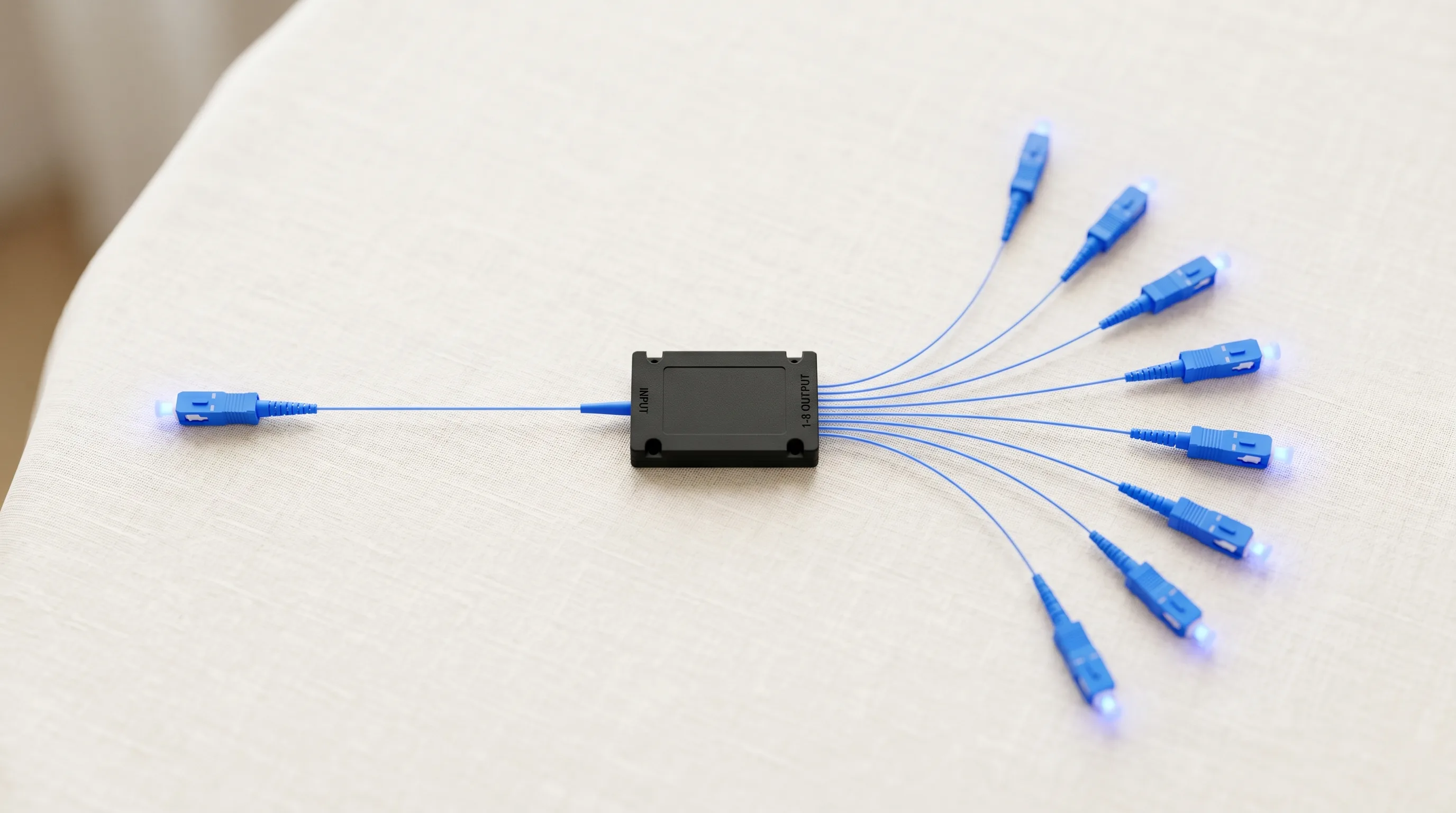
The "1×N" notation indicates one input fiber and N output fibers. A 1×2 splitter divides the signal into two outputs, while a 1×8 splitter divides it into eight. The more splits, the weaker the signal at each output. Common split ratios and their typical applications are summarized in the table below. (For a deeper look at how much loss each split ratio adds, see how much loss is added when using a passive splitter.)
| Split Ratio | Outputs | Typical Use Case |
|---|---|---|
| 1×2 | 2 | Small home or office — two endpoints |
| 1×4 | 4 | Home network or small office LAN |
| 1×8 | 8 | Multi-unit residential or enterprise branch |
| 1×16 | 16 | Telecom FTTH distribution node |
| 1×32 | 32 | Large GPON/EPON PON trunk |
| 1×64 | 64 | Metro-scale passive optical network |
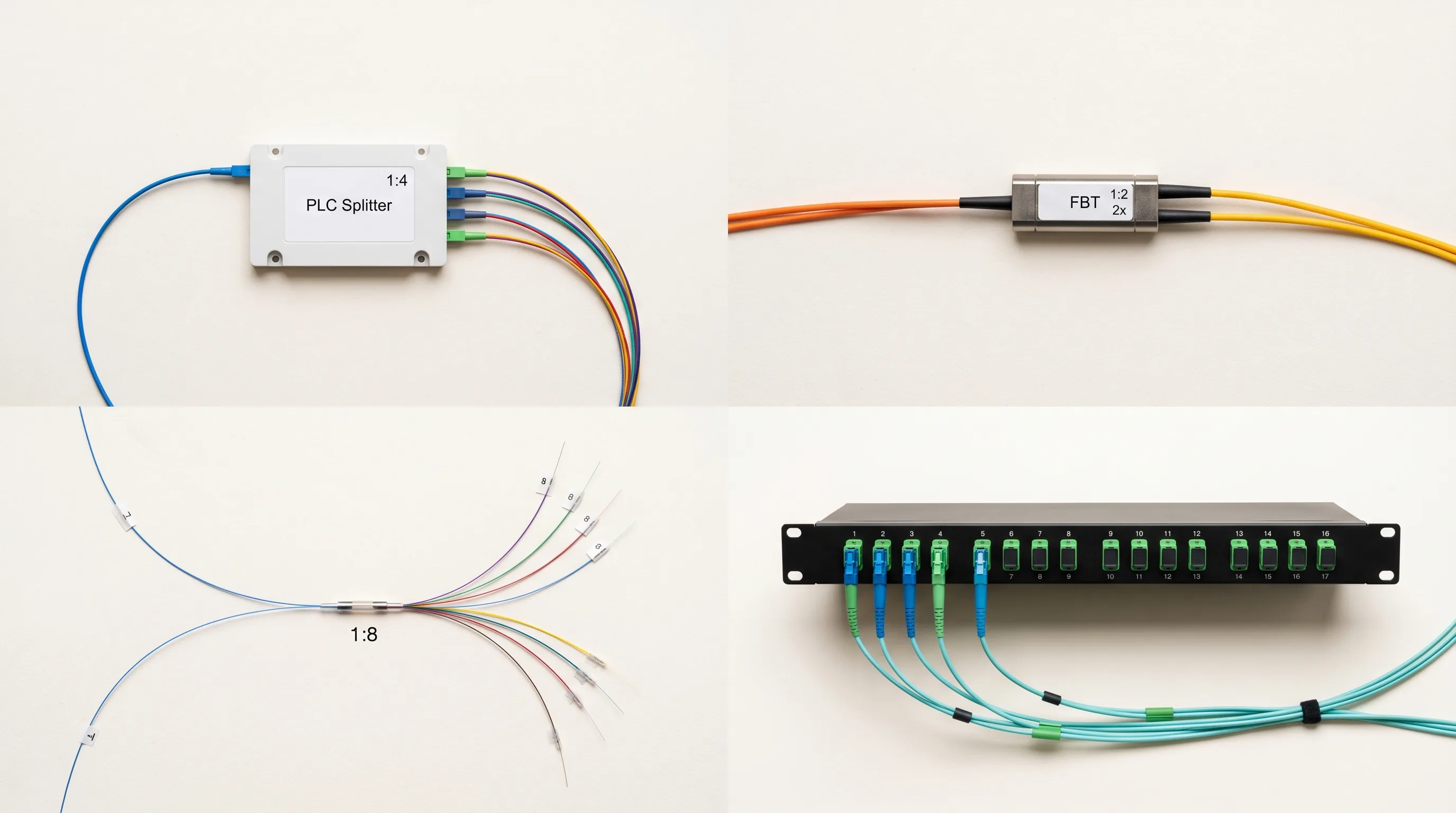
2. PLC (Planar Lightwave Circuit) Splitters
- Provide uniform splitting and high reliability across all output ports.
- Compact and ideal for high-split-count applications (1×16, 1×32, and above).
- Wavelength-independent: operate across the full 1260–1650 nm band.
- Widely used in telecom and enterprise networks.
3. FBT (Fused Biconical Taper) Splitters
- Usually used for smaller splits (1×2 or 1×4).
- Cheaper but less precise than PLC splitters.
- More sensitive to wavelength variation — not ideal for WDM applications.
- More suitable for cost-sensitive, low-split applications.
4. Indoor vs. Outdoor Splitters
- Outdoor splitters are rugged, weatherproof, and often housed in protective enclosures rated for moisture, dust, and temperature extremes.
- Indoor splitters are more compact and designed for clean, controlled environments such as equipment rooms and fiber distribution boxes.
For home and small office setups, a 1×2 or 1×4 PLC splitter is often the best balance of performance and price. You can browse the full range at TTI Fiber's fiber optic splitter product page.
How Does an Optical Splitter Fiber Work?
It may seem complicated, but the principle is simple.
The optical splitter uses internal waveguide technology (PLC) or tapered fiber fusion (FBT) to split the light beam traveling through the input fiber into multiple beams. Each output carries a portion of the original light's power.
Importantly, this process is passive — it requires no power. The splitter simply divides the light. This means it is highly reliable with no moving parts or electronics to fail.
However, since the signal is split, each output receives less power than the input. The key is to balance the number of splits with the required signal strength at each endpoint.
Top Benefits of Using Optical Fiber Splitters in Your Network
Understanding the advantages helps you appreciate why splitters are essential:
- Cost-effective network expansion: instead of laying multiple expensive fiber lines, a splitter lets you share one line across multiple devices or rooms.
- Simplified network design: passive splitters reduce the need for powered equipment and complicated cabling.
- Reliable and maintenance-free: no moving parts mean minimal failure risk, making splitters low-maintenance over long deployments.
- Supports modern internet technologies: splitters are integral to FTTH and GPON systems, which deliver ultra-fast internet to homes and businesses.
- Compact and easy to install: many splitters are small enough to fit in your network closet or fiber distribution box.
How to Choose the Right Optical Splitter Fiber for Your Home or Business
Picking the right splitter can be overwhelming, but focusing on key factors helps:
1. Split Ratio (Number of Outputs)
- For small setups, 1×2 or 1×4 is common.
- Larger networks or multi-family buildings may require 1×8 or more.
2. Insertion Loss
- Insertion loss is the signal loss that occurs as a direct result of splitting.
- Lower insertion loss means better signal quality at each output port.
- Quality PLC splitters typically have insertion loss around 3.6 dB for 1×2, 7.3 dB for 1×4, and 10.5 dB for 1×8.
3. Splitter Type: PLC vs. FBT
- For more than 4 splits, go with PLC for consistent, uniform performance across all ports.
- For smaller, budget setups with 1×2 or 1×4, FBT can work effectively.
4. Indoor vs. Outdoor Use
- Match the splitter to your installation environment. Outdoor splitters come with sealed cases to resist moisture and dust.
5. Connector Type
- Ensure compatibility with your existing fiber connectors — common types include SC, LC, and FC.
How to Set Up Your Optical Fiber Splitter
You don't need to be an expert, but following some basics will help:
- Keep connectors clean. Dirt and dust cause signal loss. Use fiber optic cleaning kits before every connection.
- Avoid bending the fiber cables sharply. Fiber is fragile, and excessive bending damages signal quality.
- Use protective enclosures for outdoor splitters to shield against moisture and UV exposure.
- Label all fibers clearly to avoid confusion during troubleshooting.
- Test signal strength before and after installation to confirm everything is working properly.
For complex setups, consider professional installation, especially if fiber splicing is involved.
Common Problems with Optical Fiber Splitters and How to Fix Them
Even reliable devices like splitters can experience issues:
Problem: Excessive Signal Loss
- Check connectors for dirt or damage. Clean or replace if necessary.
- Verify the split ratio matches your network design — too many splits weaken signals beyond usable levels.
Problem: Connector Mismatch
- Confirm connectors match your fiber cables (SC, LC, FC, etc.).
- Use appropriate fiber optic adapters if needed.
Problem: Physical Damage
- Protect outdoor splitters from moisture and physical impacts.
- Inspect cables regularly for tight bends or visible breaks.
If issues persist, replacing the splitter with a higher-quality model is often the best solution.
How to Maintain Your Optical Splitter Fiber for Long-Term Performance
Maintaining your splitter is straightforward:
- Regularly clean connectors using specialized fiber optic cleaning tools.
- Avoid exposing outdoor splitters to extreme weather beyond their rated operating range.
- Monitor network performance to spot degradation early before it affects end users.
- Secure cables to prevent accidental pulls or bends.
- Schedule periodic inspections especially in dusty or humid environments.
FAQs About Optical Splitter Fiber — What Buyers Want to Know
Q: Can I split a fiber signal multiple times?
A: Yes, but each split reduces signal strength. Careful link-budget planning is required before cascading splitters.
Q: Will splitters reduce my internet speed?
A: The signal power is divided, but as long as the splitter matches your system design and the received power stays above the receiver's sensitivity threshold, your internet speed should remain consistent.
Q: Are all splitters compatible with any fiber system?
A: No — ensure compatibility in terms of wavelength, connector types, and split ratios with your specific PON or active equipment.
Q: Can I install an optical splitter myself?
A: Simple plug-and-play splitters are DIY-friendly; complex setups involving fiber splicing should be handled by a trained technician.
Top Optical Splitter Fiber Products to Consider
When shopping for optical splitters, quality and reliability are key. TTI Fiber's fiber optic splitter range offers models designed for both home and business use. Common options include:
- 1×4 PLC Splitter — Compact, low insertion loss, ideal for home networks.
- 1×8 Outdoor Splitter — Weatherproof design for external installations and FTTH distribution.
- 1×2 FBT Splitter — Budget-friendly for simple, low-split setups.
How Optical Fiber Splitters Compare to Other Network Solutions
Sometimes people consider alternatives like Ethernet switches or wireless extenders. Here's why splitters still matter:
- Fiber splitters are passive — no power needed, no points of electrical failure.
- They maintain high signal quality over fiber networks, unlike wireless signals which can be unstable or subject to interference.
- Splitters work at the optical layer, enabling true fiber-to-the-device connectivity without protocol conversion.
For pure fiber optic networks, splitters remain the most efficient and cost-effective choice.
Where to Buy Quality Optical Splitter Fiber — What to Look For
When buying optical splitters, don't compromise on quality. A reputable manufacturer of fiber optic splitters should be able to provide:
- Industry-grade components meeting ITU-T G.671 and IEC 61753 standards
- Rigorous quality testing with documented insertion loss and return loss specs
- Warranty and after-sales support
- Competitive prices with OEM/wholesale options
Always check for certifications and product datasheets to avoid counterfeit or low-quality splitters. For further reading on selecting the right passive components for your link, see our guide on the difference between active and passive splitters.
Optical fiber splitters are a vital piece of the fiber optic puzzle, enabling you to maximize your network investment by sharing a single fiber connection efficiently. Whether you're upgrading your home internet or deploying a fiber network for your business, understanding the types of optical fiber splitters empowers you to make the right choice the first time.